Step by step
Tap a number to check off a step as you go.
Open Brand voice
Agents use Brand voice. Brokers set the office default in Brokerage voice.
Pick the tone
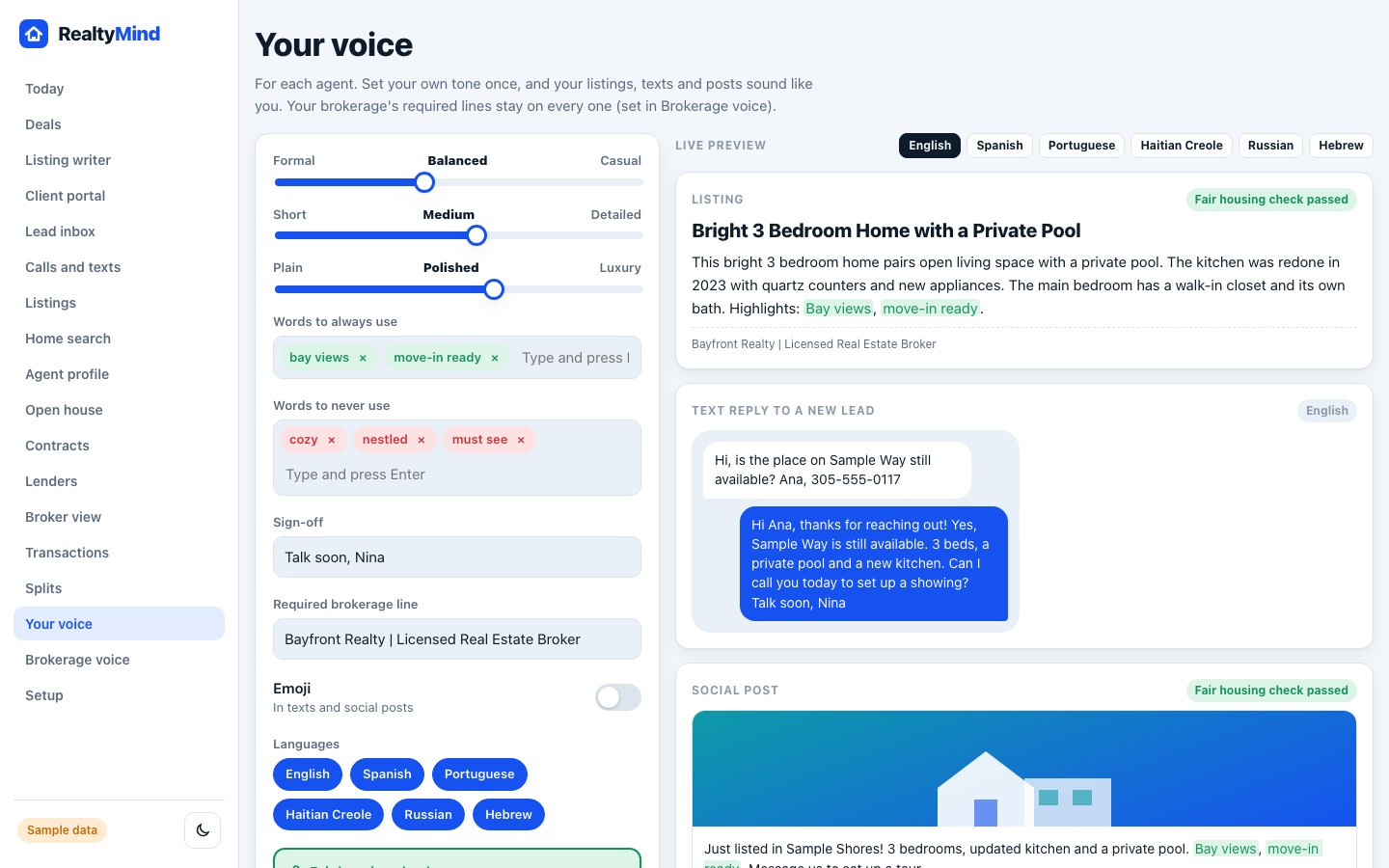
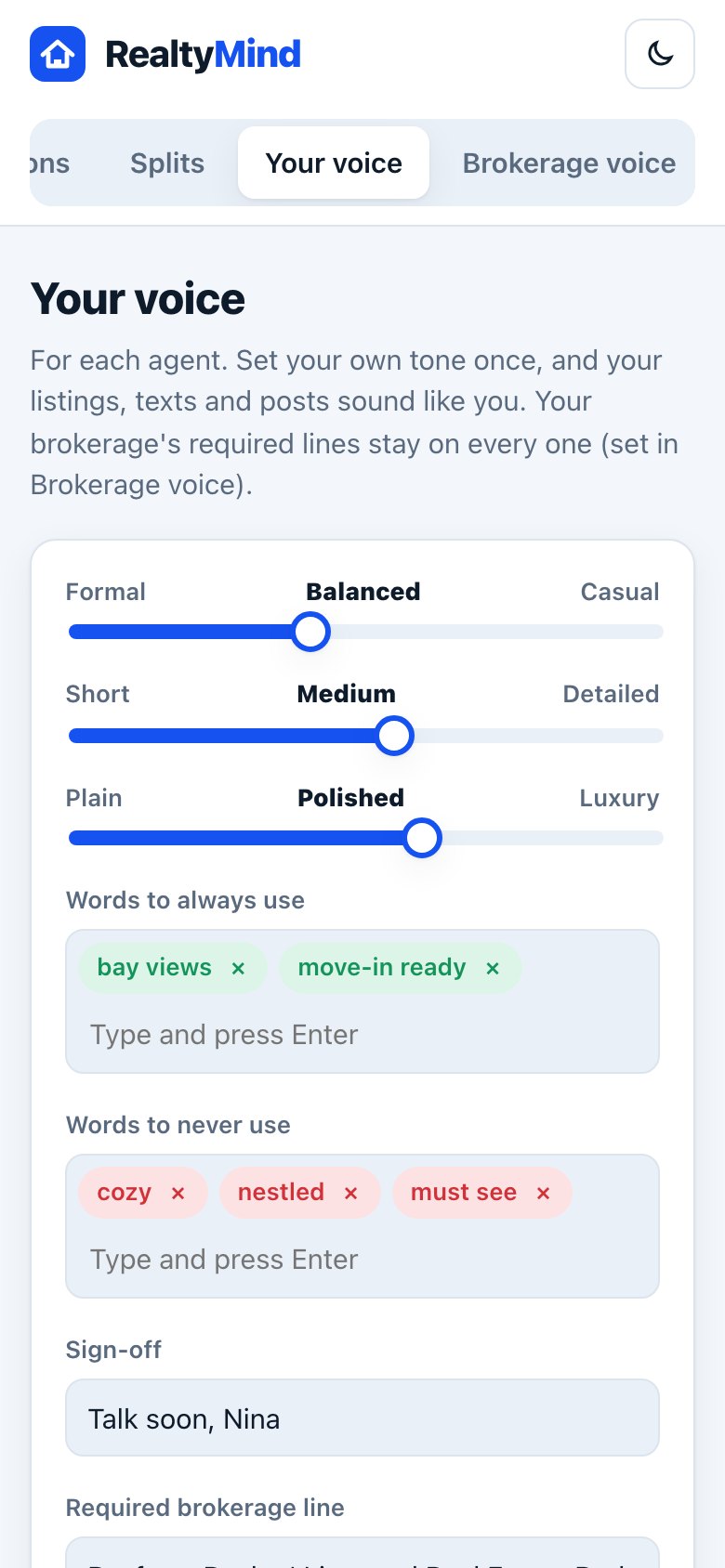
Slide between Formal, Balanced and Casual. Then Short, Medium or Detailed. Then Plain, Polished or Luxury.
Add your words
Add "Words to always use", like "bay views", and "Words to never use", like "cozy". Ivy follows both lists.
Set your sign-off and emoji
Add your sign-off for texts. The brokerage line is required and cannot be removed. Choose whether emoji show in texts and social posts.
Pick languages and save
Turn on the languages you write in. Check the live preview for a listing, a text reply and a social post. Then tap "Save brand voice".
- The live preview updates as you move each slider, so you can see the change before you save.
- The fair housing check is always on. You cannot turn it off in Brand voice.
Questions
What is the difference between Brand voice and Brokerage voice?
Brokerage voice is the office default the broker sets once. Brand voice is each agent's own touch on top of it.
Does Spanish copy just translate the English?
No. Ivy writes Spanish versions fresh, in natural Spanish.
Open Brand voice. Clickable, with sample data.