Step by step
Tap a number to check off a step as you go.
Open Setup, step 1
Go to Setup. The first step is "Connect your phone line".
Pick an option
"Keep my number" forwards your cell or office line to Sofia. "Get a new local number" gives you a fresh number for ads and signs. "Move my number over" brings your number to RealtyMind and takes a few days.
Turn on forwarding (if you kept your number)
Set your carrier to forward calls to the RealtyMind number shown on screen. You can forward all calls, or only when you are busy or after hours.
Run the test call
Tap "Run test call". We call your line and Sofia picks up. It takes about 10 seconds.
Check for "Connected"
When Sofia answers and says the call is recorded, the screen shows Connected. Tap Continue.
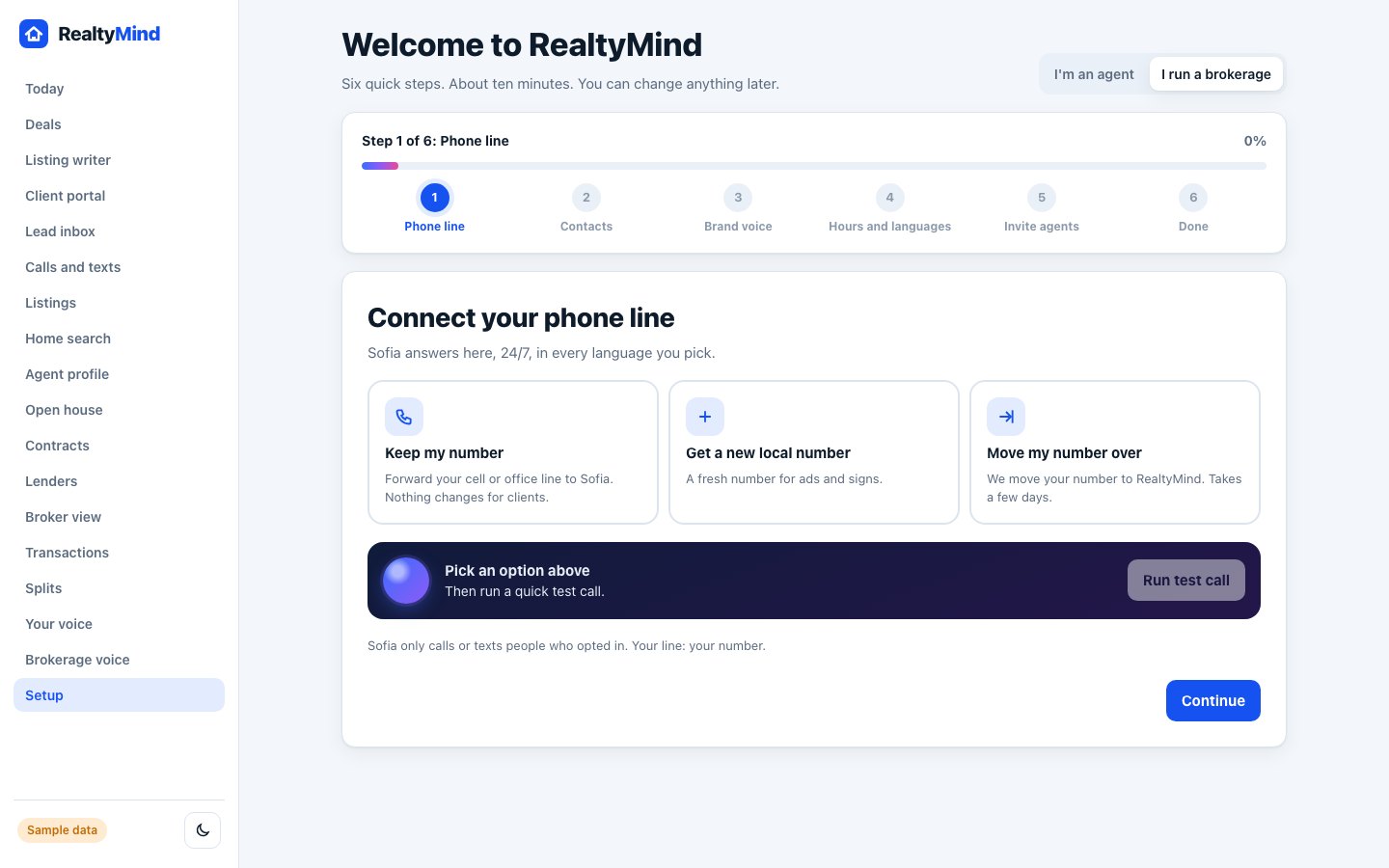
- Nothing changes for your clients when you forward. They still dial the number they know.
- Sofia only calls or texts people who opted in. Your line stays your number.
Questions
Which option should I pick?
Most agents start with "Keep my number". Pick a new local number if you want a separate line for signs and ads.
What if the test call fails?
Check that forwarding is on with your carrier, then tap "Test again". If it still fails, contact us.
Try step 1 in the demo. Clickable, with sample data.